Creating or Subscribing an Agent
Click Add an Agent to create a new Buyer or Seller agent, or to subscribe an existing agent created via the ampersend SDK.
Agent Creation Screen
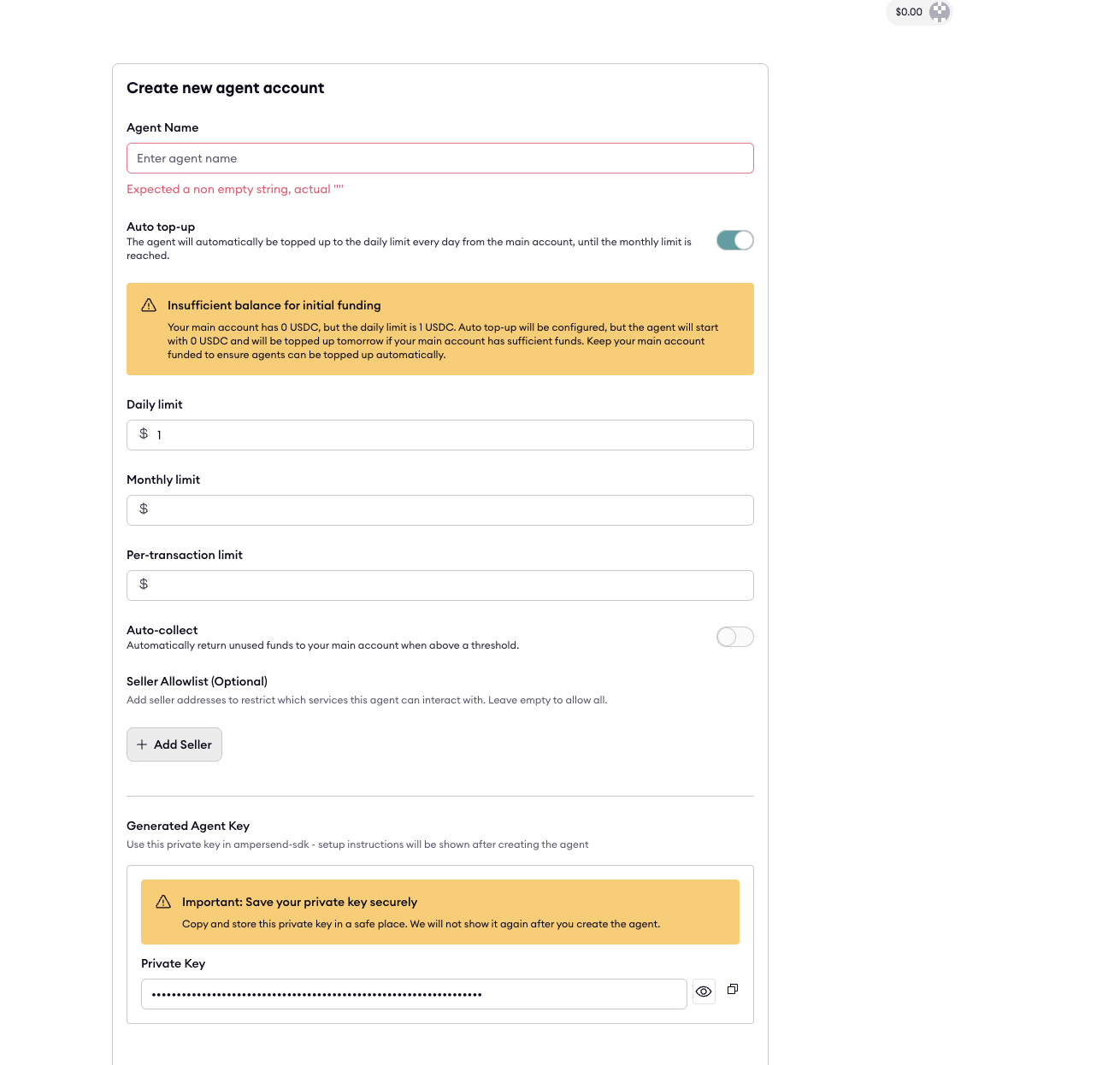
You can configure:
- Daily spending limit
- Monthly spending limit
- Per-transaction limit
- Auto-top-up rules
- Auto-collect rules
- Optional seller allowlists
Each newly created agent receives:
- A Smart Account wallet
- A Private Key
- A Unique agent address
Subscribing an Existing Agent
If your agent wallet was created externally (via SDK or Coinbase agent tooling), you will need to import the agent's Coinbase private key.
This allows ampersend to:
- Manage spending
- Initiate auto-top-ups
- Track transactions
- Authorize payments via x402